Customer spotlight: How a Fortune 500 tech company uses PlatformX and Studies

Kali Watkins
Product Marketing
We recently hosted a customer-only spotlight where a DevProd leader from a Fortune 500 company shared how they use PlatformX (experience sampling) and Studies (targeted surveys) in DX. Here, we’ll summarize how they’re using these tools to build an always-on pipeline of developer feedback. In this article, we’ll refer to the company as Acme.
PlatformX is a way to capture in-the-moment insights from developers about internal tools, platforms, and workflows. Teams using this feature set workflow-based triggers to ask developers specific questions. Studies is a way to collect additional feedback from specific developer cohorts, and is often used as a way to dig deeper into problems or questions identified by PlatformX or DX’s Snapshots (periodic surveys). Acme is currently focused on using PlatformX and Studies to capture feedback on AI tools and remote development environments, but they can be used to capture feedback on any internal tool or workflow.
Using PlatformX for ongoing, in-the-moment insights about tools
To use PlatformX, Acme sets up one project for each tool and iterate on the survey questions included within each project over time. Their standard template stays small, usually two to three questions: a satisfaction score, a self-reported estimate of time saved when relevant, and one open-ended prompt. In the customer spotlight, they noted that the open-ended question consistently surfaces the most useful signal.
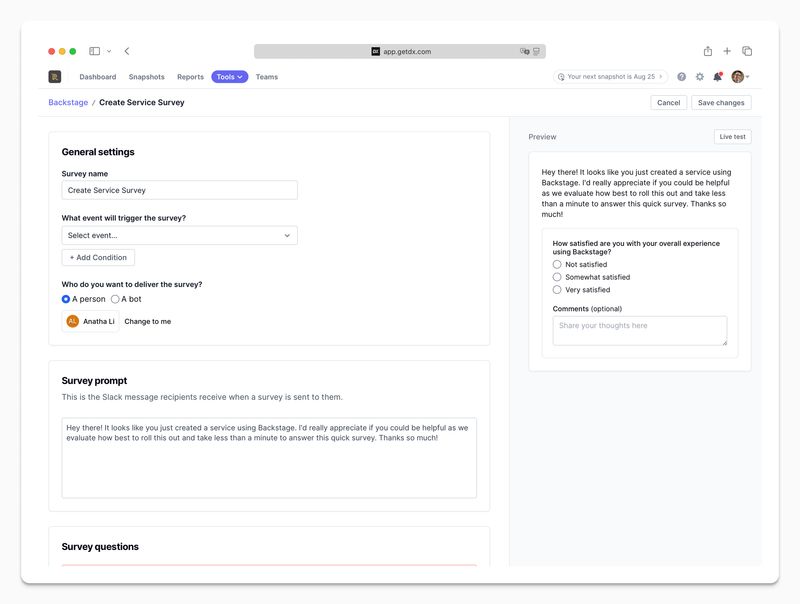
Here’s an example of what PlatformX data looks like once it starts capturing feedback for a tool:
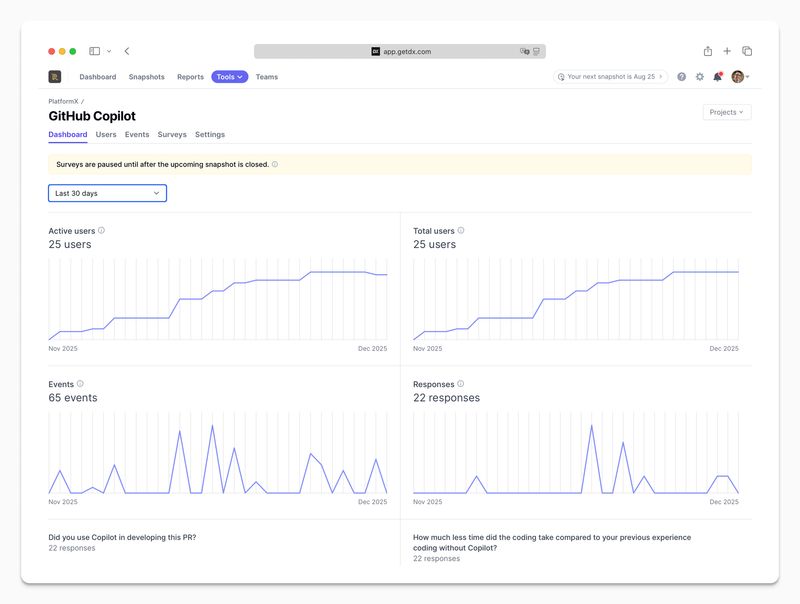
Acme uses PlatformX to understand the in-the-moment experience of various tools and processes. The DevProd team uses this information to improve internal tools and understand whether changes they make improve the experience of using those tools.
Using Studies to dig deeper
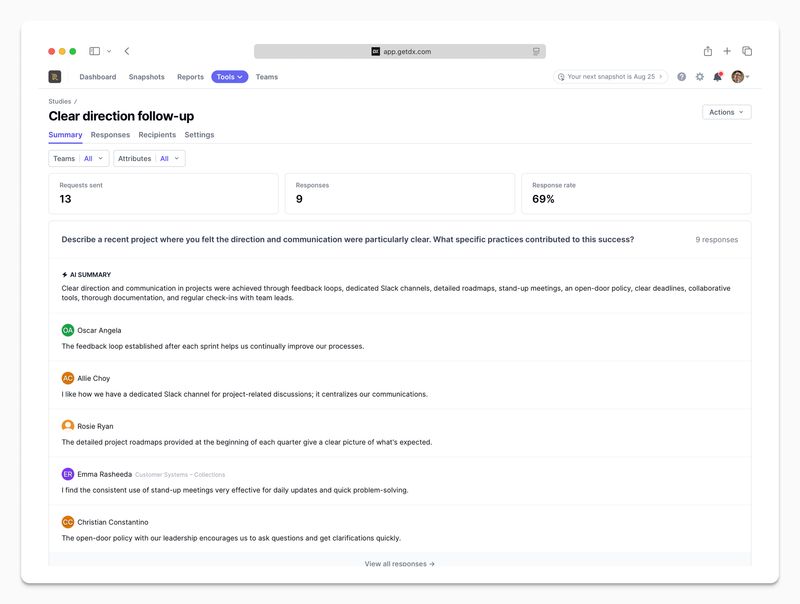
Studies can be used to dig deeper into something a team surfaces from PlatformX or Snapshots. They can also be used to get feedback from developer cohorts that PlatformX didn’t capture feedback from. As an example, if developers stop using a tool, PlatformX will not be able to capture feedback from them, so teams can run a Study to reach that group and understand why they stopped using the tool.
Teams can send a targeted survey (study) to their target recipients by filtering on attributes such as team, role, tool usage, or by uploading a list.
Tips for using PlatformX and Studies
In the spotlight, Acme shared lessons on deciding whom to survey, when to ask for feedback, and how to avoid disrupting developers.
Target participants narrowly. Don’t interrupt developers with irrelevant surveys. Acme only sends surveys when there’s a clear connection between the question and the developer’s recent experience.
Keep surveys short. Most surveys stay within three to four questions. This makes it possible to be honest about the time commitment and increases the likelihood of thoughtful responses. Anything longer risks losing signal quality.
Be cautious with reminders. While DX supports reminders, the team avoids using them by default. Their view is that forced responses tend to be lower quality and create unnecessary friction. Instead, they plan for a realistic response rate up front and broaden the initial audience to reach the volume they need without follow-ups.
Use thresholds and delays. For PlatformX surveys, they commonly configure both usage thresholds and time delays. For example, a survey might trigger after the fifth use of a tool and be sent 30 minutes later. This avoids interrupting someone before they’ve formed an opinion or while they’re in the middle of focused work.
Watch for survivorship bias. Event-based surveys naturally skew toward frequent users, who are often more satisfied. To counter this, the team pairs PlatformX with Studies aimed at low-usage or churned cohorts. This helps balance feedback from power users with input from developers who interacted less often.
Interpreting feedback at scale
Acme routes survey responses into a dedicated Slack channel so feedback is visible as it comes in. Rather than treating surveys as a reporting artifact, responses become part of day-to-day work. Engineers can see how changes land, react in-thread, and follow up directly when someone is blocked or confused.
This immediate visibility helps the team stay close to developer sentiment. As responses accumulate into the hundreds and then the thousands, they step back periodically to look for broader patterns rather than relying on individual comments alone.
They use survey data in a few ways. Ongoing review helps surface issues that need quick attention. Periodic analysis ties feedback back to objectives related to experience goals, such as satisfaction and perceived time savings. For larger volumes of qualitative feedback, they export survey results and use AI tools to identify recurring themes or investigate specific tools and workflows.
If you’re interested in setting up a similar initiative in your DX account, reach out to your customer success representative.