Introducing the new DX AI

Data is only as valuable as your ability to understand and act on it. While dashboards provide a great high-level view, digging deeper into specific trends or answering spontaneous questions often requires context switching and manual analysis.
Today, we’re announcing the new DX AI—a powerful conversational interface with direct access to your organization’s DX data, both system and self-reported.
How DX AI works
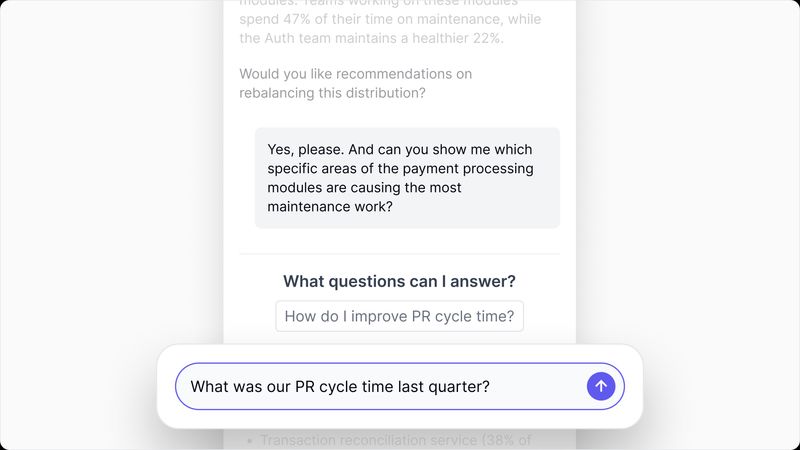
The new DX AI is surfaced via a new sidebar available across the DX platform. Whether you’re digging deeper into metrics, building a business case for an investment, or analyzing your latest snapshot results, you can start a conversation in the new sidebar and get immediate, context-aware answers.
There are two ways to start a conversation. You can open the sidebar and ask anything directly, or you can start from a Pulse alert. When Pulse surfaces something worth investigating—a spike in cycle time, a drop in throughput, a shift in sentiment—you can open it and start asking follow-up questions immediately.
Use DX AI to:
- Investigate anomalies: Instantly ask about the underlying drivers behind a dip or spike in your metrics.
- Compare teams: Quickly contrast data points across different engineering groups.
- Analyze qualitative feedback: Summarize and dig into what developers are actually saying in their survey comments without reading through hundreds of responses manually.
- Visualize data: When a question is best answered with a chart, the AI generates one—bar, line, pie, scatter—directly in the conversation. Every visualization can be downloaded as CSV or copied to a Data Studio dashboard.
Availability
The new DX AI is generally available today for all DX users. Simply open the new sidebar within the DX platform to start a conversation with your data. To learn more, reach out to your account representative or request a demo.